
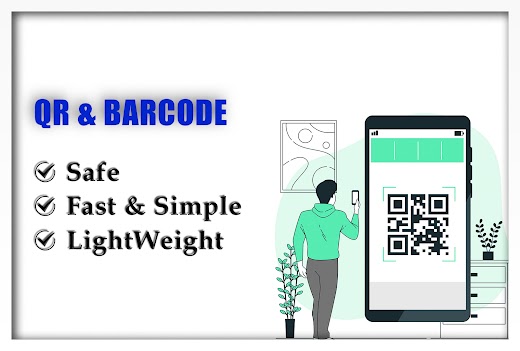
QR Code Scanner-Barcode Reader
It supports all QR/barcode formats – 100% Safe.QR code reader is extremely easy to use.
It can read and decode all kinds of QR code and barcode.
Scan any QR code/barcode to get all the important data related with that QR code.Easy-to-use QR scanner app QR code scanner uses only Phone’s Camera to scan or read QR code/barcode.Support all QR code & barcode formats.
Easily scan and decode all type of QR code/barcode, including Wi-Fi, URL, Geo-Location, E-mail, text, contacts, calendar etc.Support Batch scan Scan multiple QR code/barcode at once and see the combined result of all the QR code/barcode together.QR Code GeneratorYou can this QR code reader to create, save and share your own QR code for multiple formats: Wi-Fi, URL, contacts, Geo-Location, calendar etc.Scan from ImagesThis QR code scanner can be used to scan any QR code/barcode directly from Image from Phone’s Gallery and save it in the history folder for future uses.Supported QR codes.• URL• Contact• Wi-Fi• Geo-Location• E-mail, SMS• Phone call informationSupported barcodes and two-dimensional code.
• Article numbers (EAN, UPC,IAN,GTIN,ISBN)• Codebar or Codeabar• Code 39, code 93, and code-128• Interleaved 2 of 5 (ITF)• PDF417• GS1 DataBar(RSS-14• Aztec code• Data MatrixThis QR code scanner/barcode scanner is 100% safe!
This barcode reader needs only camera permission.The barcode reader can scan any size of barcode.
The QR code reader can auto-zoom to scan and get results in no time.
About QR Code Scanner-Barcode Reader
- Package name (App ID)
- com.realtechuniverse.qrscaner
- Available on
- Google Play
- Price
- Free
- Developer
- Neo-Tech Developers
Looking for the QR Code Scanner-Barcode Reader APK?
The safest way to get QR Code Scanner-Barcode Reader (com.realtechuniverse.qrscaner) on your Android device is to install it directly from Google Play — you'll always get the latest official version, automatic updates, and no risk of modified or infected APK files from third-party sites.

Social Features
Connect and share with friends and the community.
Camera Features
Advanced camera features with editing capabilities.
Productivity Tools
Boost your productivity with powerful tools and features.
See QR Code Scanner-Barcode Reader in Action


Frequently Asked Questions
Is QR Code Scanner-Barcode Reader free?
Yes, QR Code Scanner-Barcode Reader is free to download and install on Android through Google Play.
How do I install QR Code Scanner-Barcode Reader on Android?
Open Google Play on your Android phone or tablet, search for QR Code Scanner-Barcode Reader by Neo-Tech Developers or tap the Google Play button on this page, then tap Install. The app downloads and installs automatically.
What is com.realtechuniverse.qrscaner?
com.realtechuniverse.qrscaner is the App ID (package name) of QR Code Scanner-Barcode Reader on Google Play. Every Android app has a unique package name, and it is the safest way to verify you are installing the official app.
Is QR Code Scanner-Barcode Reader safe to download?
Installing QR Code Scanner-Barcode Reader from Google Play is the safest option: you get the official version published by Neo-Tech Developers, verified by Google Play Protect, with automatic updates. Avoid APK files from unofficial third-party sites.

Get QR Code Scanner-Barcode Reader Today
QR Code Scanner-Barcode Reader for Android — free download on Google Play.
Compatible with Android phones and tablets — available on Google Play.
Ask AI about this app
Get instant answers about features, tips and more from popular AI assistants.